Live ISO · x86_64 & Raspberry Pi

An operating system written entirely in Ling.

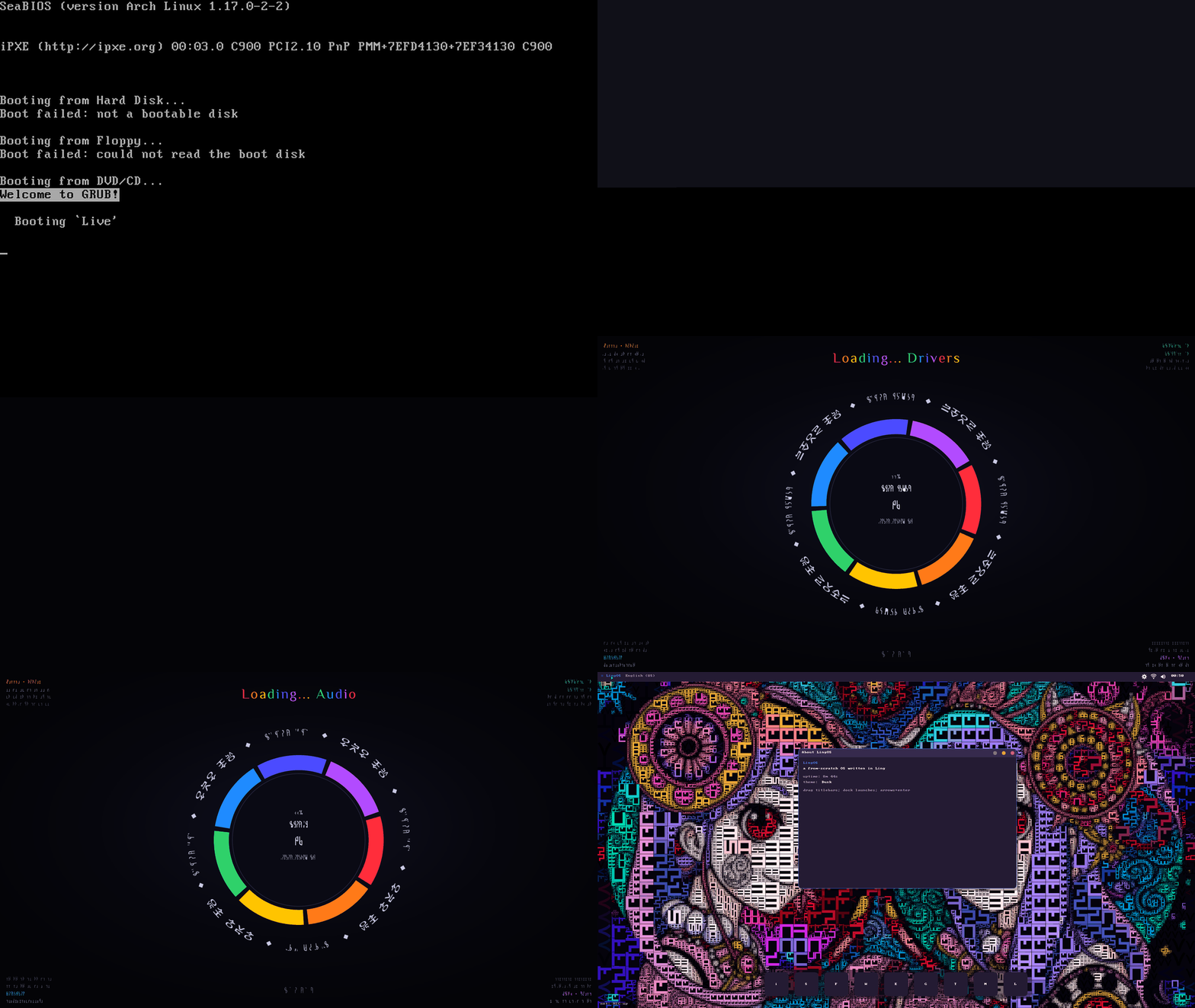
LingOS is a kernel, a desktop, a filesystem, a network stack and a shelf of real apps -- a music studio, a 3D modeler, a web browser, a messenger -- all compiled from .ling source straight to bare metal. No Linux underneath.
x86_64 BIOS · GRUB · Multiboot2aarch64 Pi 3 / 4 / 5Signed ML-DSA-65
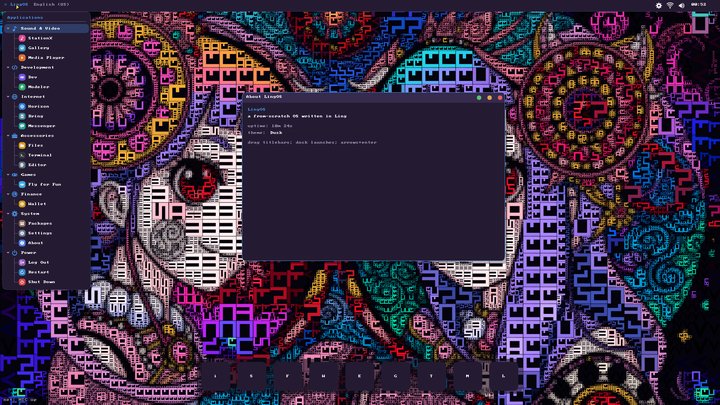
Applications menu
Applications menu
LingStationX music studio
2 archs
x86_64 (live CD + installer) and aarch64 (Raspberry Pi 3, 4 and 5) from one source tree
15+ apps
DAW, 3D modeler, two browsers, messenger, wallet, files, terminal, a game
1 toolchain
Kernel targets and apps are built by the same ling compiler you use on the desktop
Qwen3
A language model running inside the kernel, on the CPU, with no network

What's inside

A real kernel, a real desktop

Every item below is running code, exercised by monitor-driven QEMU tests that click, type, record audio and capture packets -- not a roadmap.

⏻

Boots on real hardware

x86_64 via GRUB/Multiboot2 as a live CD or an installed disk with its own two-stage MBR bootloader, dual-boot menu and chainloader. A from-scratch aarch64 HAL boots the Raspberry Pi 3, 4 and 5.

R3

Interrupts, scheduling, ring 3

IDT/PIC and VBAR_EL1 interrupt handling, a 100 Hz timer, a cooperative in-kernel scheduler and a preemptive ring-3 layer: syscall/sysret, per-process page tables, an ELF loader.

MM

Real memory management

A buddy frame allocator, a slab heap with working free(), and 4-level paging with NX and W^X on the kernel image plus a separate address space per user process.

fs

lingfs, content-addressed

A git-style root filesystem: BLAKE3-hashed immutable objects, an O(1) hash index, a double-buffered superblock and an append-only commit log. FAT for USB sticks and SD cards.

▣

lingdesk, the desktop

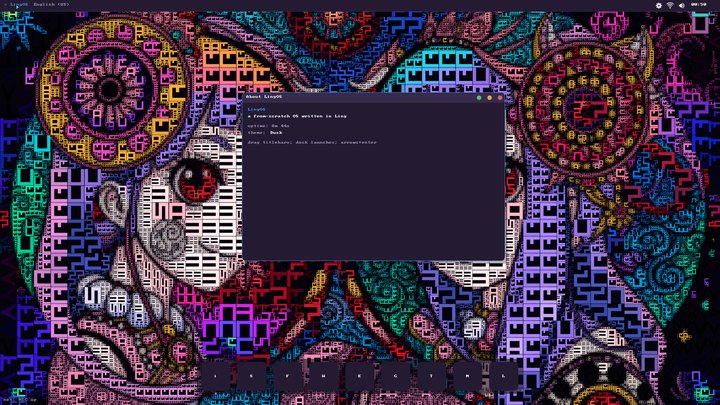
Sign-in, a multi-window manager with spring-physics dragging, an auto-hiding dock, Alt+Tab, a tray with Wi-Fi, volume and network, live resolution and theme switching, and a localized UI.

net

Networking and SSH

An e1000 driver under an IPv4/TCP/DNS/HTTPS client. Settings > Network runs an on-screen ARP, DNS, TCP and HTTPS test, and a built-in SSH + SFTP server can start at boot.

♫

Audio everywhere

An AC'97 driver with a per-app mixer and pentatonic sound themes, HDMI audio on the Pi, and a Files app that plays WAV, OGG and FLAC.

fu

lingfu packages

A Packages window and terminal commands that sync, search and install from the live lingfu registry over the network, then ling run the result.

AI

A model on the machine

Qwen3 runs inside the kernel from a GGUF on disk -- tokenizer, quantized matrix kernels, KV cache. Type ask in the Terminal; the desktop keeps moving while it thinks.

Apps

Things you can actually do

The x86 ISO and the Raspberry Pi studio image ship with these on board, launched from the Applications menu or the dock. Click any screenshot to enlarge it.

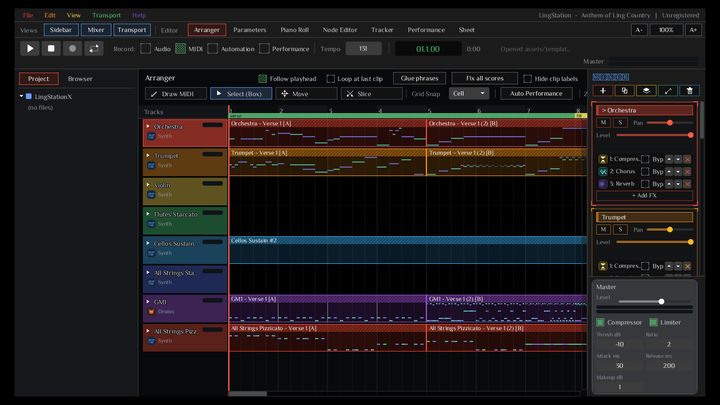
LingStationX

LingStationX

The full studio, LingOS Edition: arranger, piano roll, mixer with per-track effect racks, MIDI, automation. Shown here with the bundled Anthem of Ling Country project.

musicPi studio
LingStation tracker

LingStation tracker

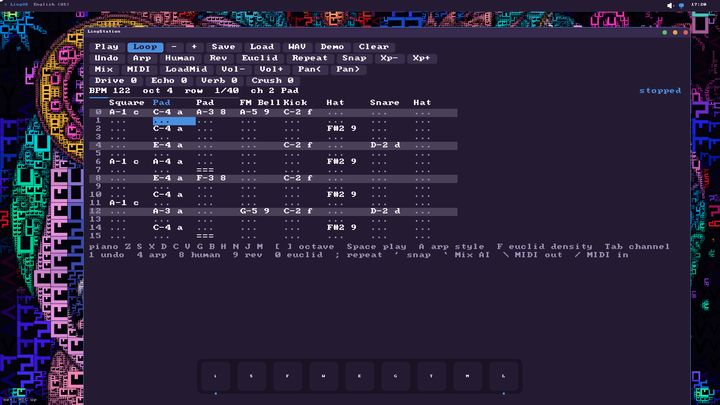
A tracker-style DAW in the kernel itself: 8 channels × 64 rows, 14 instruments, drive / crush / echo / reverb, arpeggiator and euclid scripts, Mix AI, WAV and MIDI export.

musicx86
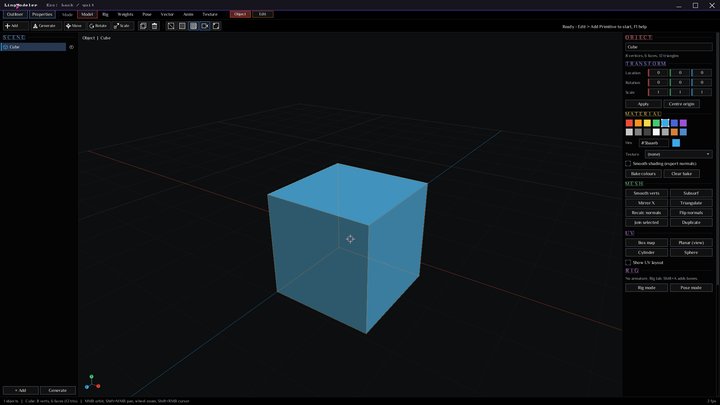
LingModeler

LingModeler

A 3D modeler with outliner, primitives, transforms, vertex colours, smoothing, mirroring and UV boxing, rendered by the OS's own graphics stack.

3DPi studio
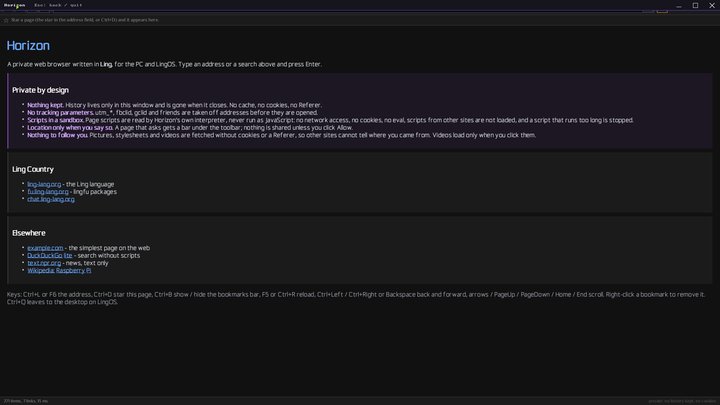
Horizon

Horizon

A box-model web browser written in Ling: DOM and CSS layout, canvas, PNG images, redirects, history and a start page pointing around Ling Country.

internet
Messenger

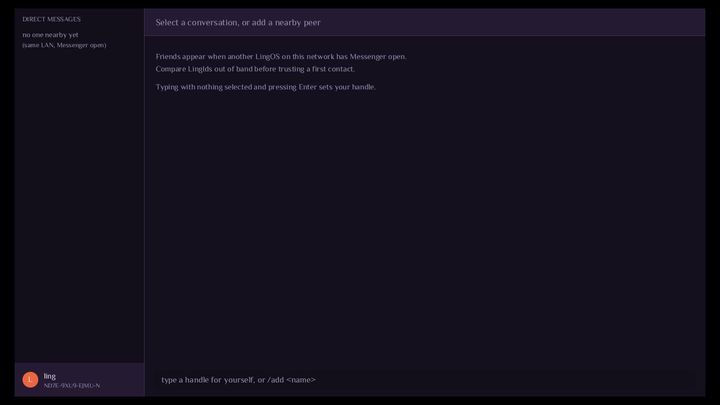
Messenger

Direct messages to other LingOS machines on the same network. Each peer has a LingId you compare out of band before trusting a first contact.

internetLAN
LingDev

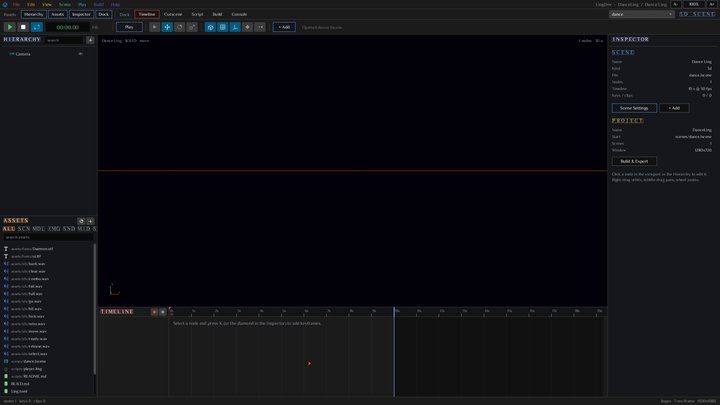
LingDev

The game and app studio: scene hierarchy, inspector, asset browser, a timeline for cutscenes, scripts and one-click build & export.

develop
Wallet

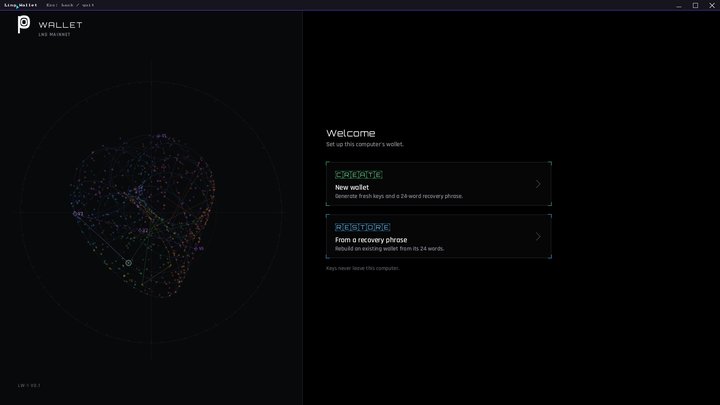
Wallet

A local wallet for the LNG network: keys are generated on this computer, with a 24-word recovery phrase.

finance
LingForFun

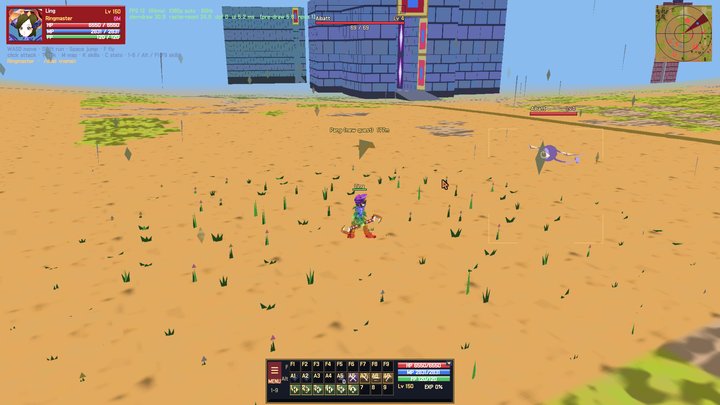
LingForFun

An action game with an online login, character creation and flight -- the same Chinese-keyword Ling demo from ling-lang.org.

game
Create
  • LingStationX studio
  • LingStation tracker
  • LingModeler 3D
  • Gallery & Media Player
Develop
  • LingDev IDE
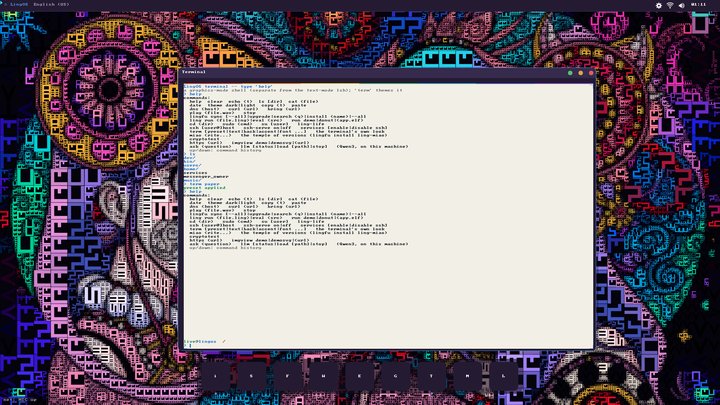
  • Terminal with themes
  • Editor
  • ling run any .ling file
Internet
  • Horizon browser
  • bring web browser
  • Messenger
  • SSH + SFTP server
System
  • Files (lingfs, USB, SD)
  • Packages (lingfu)
  • Settings, Wallet
  • LingSys live dashboard

Under the hood

One language, all the way down

LingOS is built by the exact same ling compiler that runs on your desktop -- AOT through Cranelift, straight to a Multiboot2 ELF or a Pi kernel8.img. The x86_64 and aarch64 kernels share their drivers, filesystem and scheduler; only the HAL differs.

  • Same toolchain. One ling build per target: --platform kernel for x86_64, --platform rpi for the Pi.
  • Tested by driving it. QEMU sendkey / mouse / screendump scripts, AC'97 WAV capture and packet dumps -- every screenshot on this site came out of that harness.
  • Honest docs. The repo keeps a roadmap of what is not built yet, separate from what is.

Not there yet

  • Apps are compiled into the kernel image; only diagnostics run as separate ring-3 processes so far.
  • .lpkg packages are not signed yet and the registry is fetched over plain HTTP.
  • The disk driver is ATA PIO, so loading a 600 MB model takes a minute or two; under QEMU's TCG the LLM is seconds per token.
LingOS Terminal root@lingos
# start the SSH + SFTP server, now and at every boot
> ssh-serve on
ssh-serve: ON -- SSH + SFTP server, port 22 (persisted: starts at boot)

# give this terminal a different look
> term paper
preset applied

# install a package from the live registry and run it
> lingfu install ling-miao
> ling run hello.ling

# ask the on-device model (loads from the model disk on first use)
> ask what is a content-addressed filesystem?
> llm status

Screenshots

LingOS, running

Straight out of QEMU. See all of them →

Ready to try it?

Boot the live ISO in QEMU or VirtualBox, or write it to a USB stick -- no install required.

Ling Country

More from the Ling family